Skip to content

ElectroStingz

Primary Menu
  • Guides
    • Intel 6700K Adaptive Mode Overclocking
    • Delidding my Intel i7-6700K processor
    • Intel i9-14900HX Lower Temperature Tweaks
    • Additional Monitor Refresh Rates
    • Laptop CPU Boost Control For Windows
  • Home
  • 2018
  • July
  • ThermalTake Water Cooling PC Upgrade
  • PC Gaming
  • Technology
  • Water Cooling

ThermalTake Water Cooling PC Upgrade

ElectroStingz July 27, 2018 2 minutes read
ThermalTake Water Cooling PC Upgrade

This is something I have been wanting to try for a long time and right now the moment has come. My i7-6700K is OK with the Zalman CNPS10X Optima heatsink, max temperatures with the warm weather during gaming will see close to 70 Degrees C and that is with all the fans set to max RPM. What I am hoping for is a quieter running PC with cooler temperatures and better visuals.

To perform this upgrade I will also change the Zalman Z11 Plus case as it does not have any space for a radiator / pump, my choice is the BeQuiet Dark Base 700.

Full details here: https://www.bequiet.com/en/case/1203


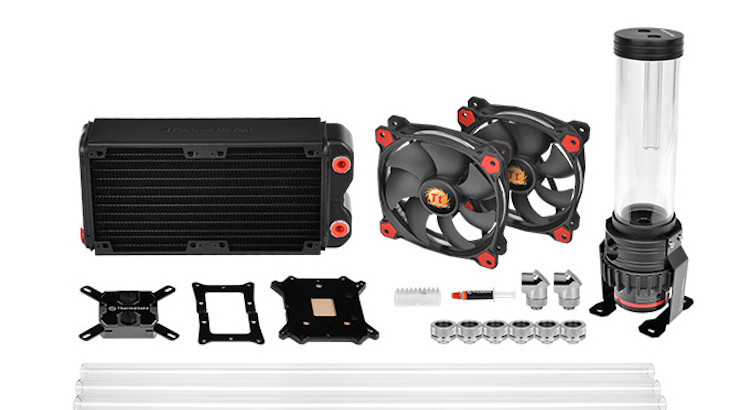
As for the Thermaltake hardware I wanted to go for the bigger 280mm radiator and different fans so did not purchase a kit.

  • Thermaltake Pacific RL280 Radiator
    http://www.thermaltake.com/products-model.aspx?id=C_00002647
  • Thermaltake Pacific PR15-D5 Reservoir/Pump Combo
    http://www.thermaltake.com/Liquid_Cooler/Liquid_Cooler_/Pump_Reservoir/C_00002695/Pacific_PR15_D5/design.htm
  • Thermaltake Pacific W1 CPU Water Block
    http://www.thermaltake.com/products-model.aspx?id=C_00002577
  • Arctic BioniX F140 white Fans
    https://www.arctic.ac/uk_en/bionix-f140.html

For the pipework I will use 16mm plexi hardtube with a frosted finish, black metal fittings and clear (transparent) water coolant. I’ll update with my progress when everything arrives…

Post navigation

Previous: Tenda TEG1008 8 port Gigabit Switch Issues
Next: Delidding my Intel i7-6700K processor

Related Posts

FT_SP
  • GFX Card
  • Hardware
  • Modification
  • PC Gaming
  • Review
  • RTX 3080
  • Water Cooling

AMD Ryzen 9 5900X With An RTX 5080 GPU

ElectroStingz July 20, 2026
6monthcheck
  • Hardware
  • Laptop
  • PC Gaming
  • Technology

ASUS ROG Strix G16 2024 – New Liquid metal and Arctic MX-7

ElectroStingz July 4, 2026
CPU_BOOST_FT
  • Guides
  • Hardware
  • Laptop
  • PC Gaming
  • Software
  • Technology

Laptop CPU Boost Control For Windows

ElectroStingz February 8, 2026

ASUS ROG STRIX G16 2024 Laptop

  • by ElectroStingz ASUS ROG Strix Laptop - Checking Arctic MX-6 Thermal Paste After 1 Year
  • by ElectroStingz ASUS ROG Strix G16 - Checking Thermal Paste After 6 Months
  • by ElectroStingz Asus Rog Strix G16 Gaming Laptop Is It Overheating? – Part 2
  • by ElectroStingz Asus Rog Strix G16 Gaming Laptop Is It Overheating? - Part 1

Water Cooled RTX 3080

  • by electrostingz AMD Ryzen 9 5900X With An RTX 5080 GPU
  • by electrostingz My Watercooling Radiator Push Pull Upgrade
  • by electrostingz Gigabyte AORUS RTX 3080 Xtreme Waterforce WB Mini Review
  • by electrostingz My Gigabyte AORUS RTX 3080 Xtreme Waterforce WB GFX Card Has Arrived
  • by electrostingz GFX Card Update: Gigabyte AORUS RTX 3080 Xtreme Waterforce Rev 2.0

i9-14900HX Temperature Testing Cinebench R23

i9-14900HX Temperature Testing CPUZ

Copyright © All rights reserved. | MoreNews by AF themes.