Skip to content

ElectroStingz

Primary Menu
  • Guides
    • Intel 6700K Adaptive Mode Overclocking
    • Delidding my Intel i7-6700K processor
    • Intel i9-14900HX Lower Temperature Tweaks
    • Additional Monitor Refresh Rates
    • Laptop CPU Boost Control For Windows
  • Home
  • 2022
  • January
  • My Watercooling Radiator Push Pull Upgrade
  • GFX Card
  • Hardware
  • PC Gaming
  • RTX 3080

My Watercooling Radiator Push Pull Upgrade

ElectroStingz January 8, 2022 2 minutes read
My Watercooling Radiator Push Pull Upgrade

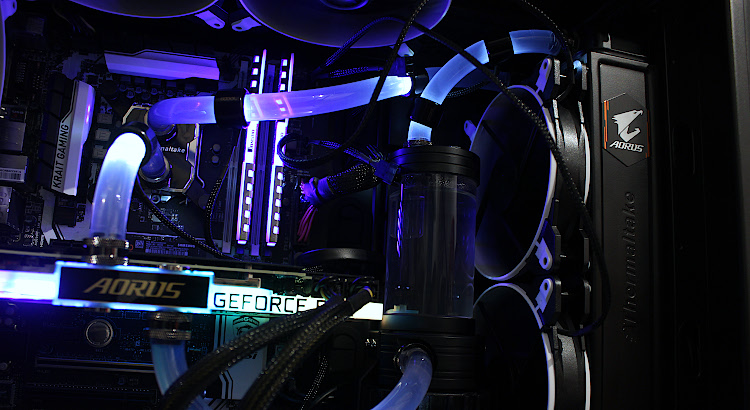
Previously I mentioned my PC has been upgraded with a water cooled RTX 3080 which has been working well however I only had 2 intake fans on the radiator which I were not able to run at the lowest speed setting (~1000 rpm) as the GFX card memory and hotspot would idle at a temperature of 60 Deg C. My solution was to increase the fans to run at 1500 rpm but this would result in a lot more noise as all my other case fans are connected to the fan controller so I decided on a small upgrade and purchased 4 Arctic BioniX P140 fans.
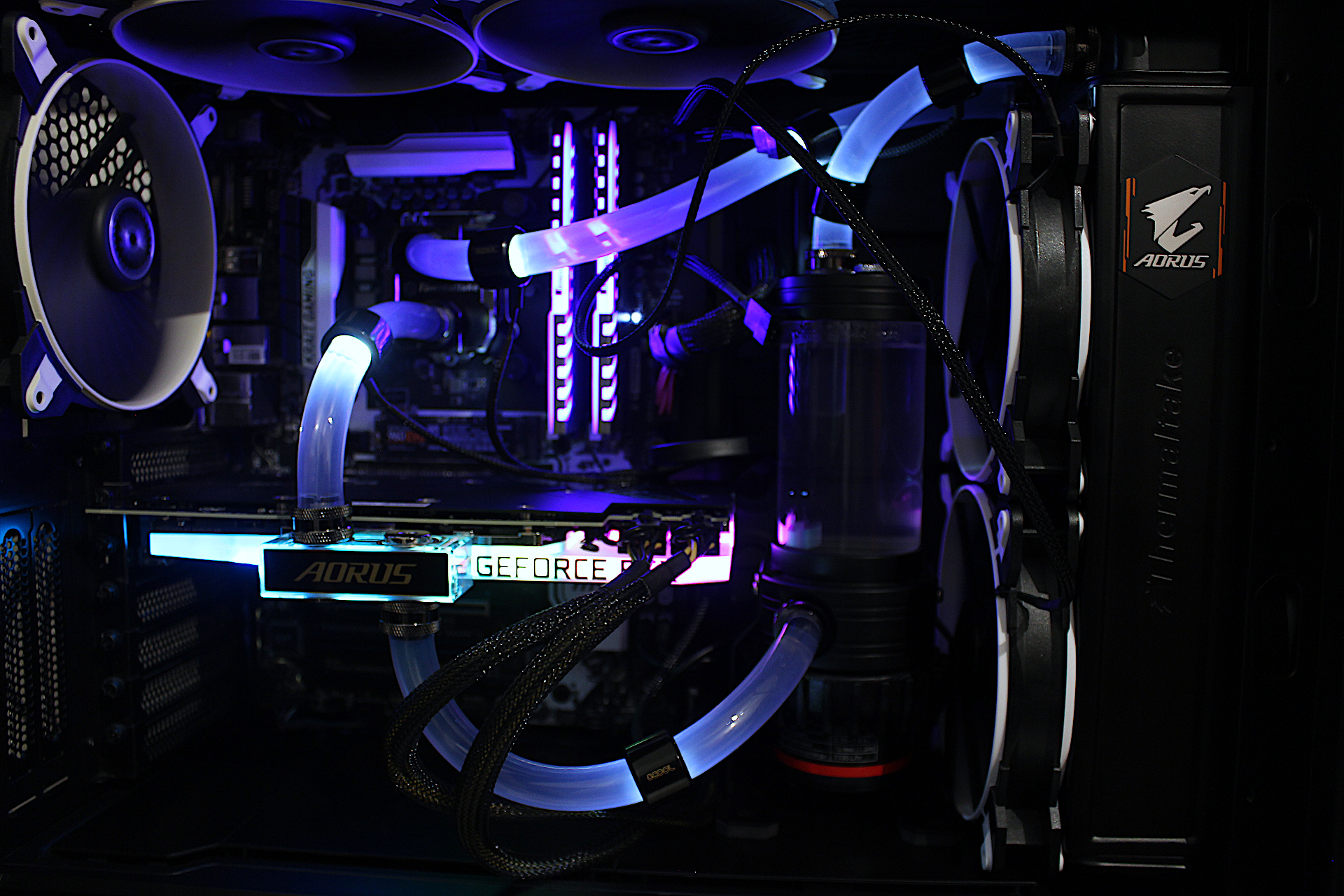
I have 2 connected to the fan controller built in with the BeQuiet case and the other 2 are directly to the motherboard with the BIOS running a smartfan profile so it is reacting to the CPU temperature. With this configuration and the fans at 1000 RPM the idle temperature of the RTX 3080 Hot spot and memory is under 40 Deg C. Furthermore I can run any game or benchmark at this setting without having to touch the fan controller.
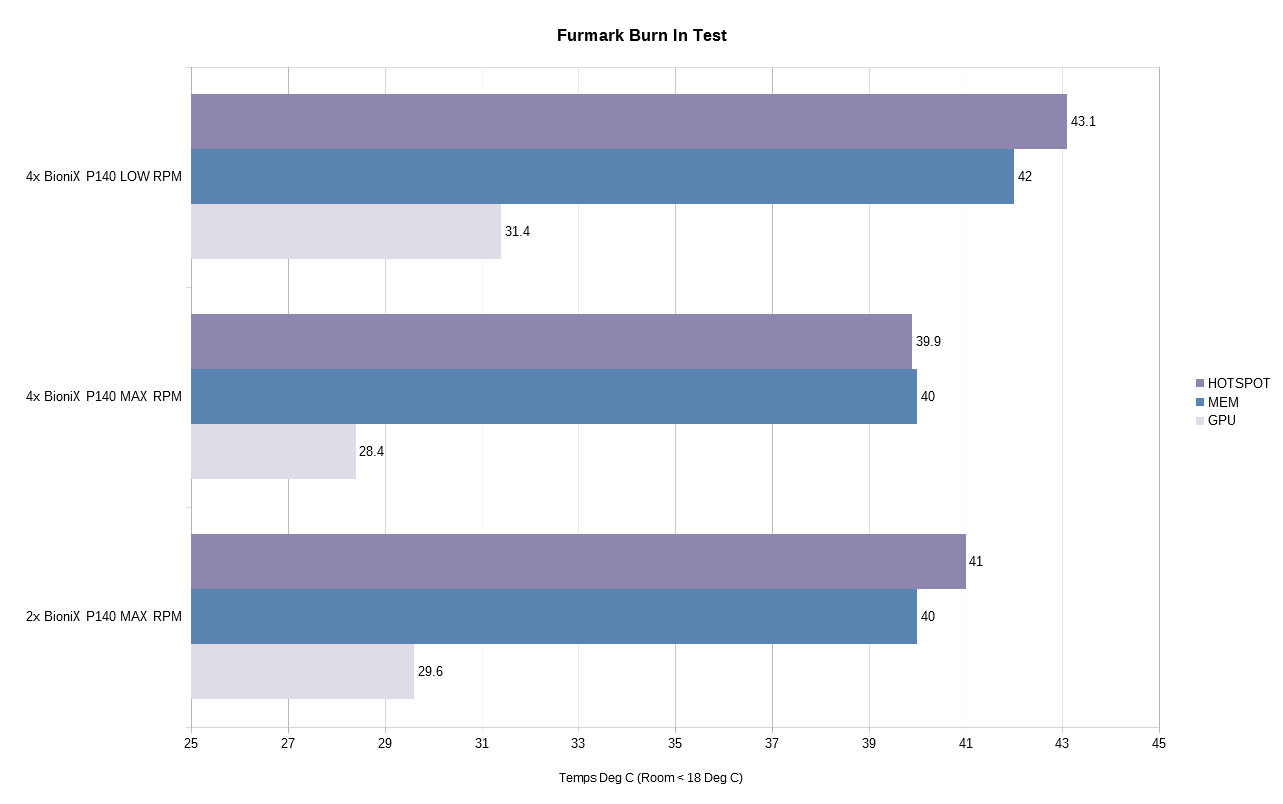
The results are good and the PC is quiet when running a load however the above does not represent actual gaming temperatures and for that I will play cyberpunk and post back with the results. Next on the list of things to do, tidy up the wiring and obtain new coolant.
Post navigation

Previous: Gigabyte AORUS RTX 3080 Xtreme Waterforce WB Mini Review
Next: AMPCOM NVMe Heatsink Review

Related Posts

FT_SP
  • GFX Card
  • Hardware
  • Modification
  • PC Gaming
  • Review
  • RTX 3080
  • Water Cooling

AMD Ryzen 9 5900X With An RTX 5080 GPU

ElectroStingz July 20, 2026
6monthcheck
  • Hardware
  • Laptop
  • PC Gaming
  • Technology

ASUS ROG Strix G16 2024 – New Liquid metal and Arctic MX-7

ElectroStingz July 4, 2026
6monthcheck
  • Hardware
  • Laptop
  • Modification
  • Review

ASUS ROG Strix Laptop – Checking Arctic MX-6 Thermal Paste After 1 Year

ElectroStingz June 25, 2026

ASUS ROG STRIX G16 2024 Laptop

  • by ElectroStingz ASUS ROG Strix Laptop - Checking Arctic MX-6 Thermal Paste After 1 Year
  • by ElectroStingz ASUS ROG Strix G16 - Checking Thermal Paste After 6 Months
  • by ElectroStingz Asus Rog Strix G16 Gaming Laptop Is It Overheating? – Part 2
  • by ElectroStingz Asus Rog Strix G16 Gaming Laptop Is It Overheating? - Part 1

Water Cooled RTX 3080

  • by electrostingz AMD Ryzen 9 5900X With An RTX 5080 GPU
  • by electrostingz My Watercooling Radiator Push Pull Upgrade
  • by electrostingz Gigabyte AORUS RTX 3080 Xtreme Waterforce WB Mini Review
  • by electrostingz My Gigabyte AORUS RTX 3080 Xtreme Waterforce WB GFX Card Has Arrived
  • by electrostingz GFX Card Update: Gigabyte AORUS RTX 3080 Xtreme Waterforce Rev 2.0

i9-14900HX Temperature Testing Cinebench R23

i9-14900HX Temperature Testing CPUZ

Copyright © All rights reserved. | MoreNews by AF themes.